
What you copied,
all ready to paste.
Keep the text, links, images and files you copy.
macOS 14 or later. Apple Silicon and Intel.
A weekend in the mountains
Make time for a morning by the lake.
Keep the route, photos and packing list together.
Hold ⌘⇧, select with V / Z, release to paste.
Find what you copied.
Search, preview and copy again.
 NotesOct 30, 09:41
Leaving Friday. Remember the camera.
Long text. Tall images. All there.
NotesSep 16, 10:24A slower weekend in the Dolomites
Leave on Friday and return on Sunday. Keep the route simple, with time for walks, photos and unplanned stops.
Before you go
Confirm the address and check-in time, and download offline maps. Charge the camera and bring a spare battery, a light jacket and comfortable shoes.
Day one: arrive in the valley
Check in during the afternoon, then take a walk around the village. Find a local restaurant for dinner and get an early night. Keep the first day simple.
Day two: Lake Braies
Head to the lake early and follow the path at an easy pace. Take a few photos in the morning light, then put the camera away and watch the reflections.
Watch the weather
Mountain weather changes quickly. Check the forecast, carry water and pack a rain jacket. If it rains, trade the walk for coffee in town.
Through the camera
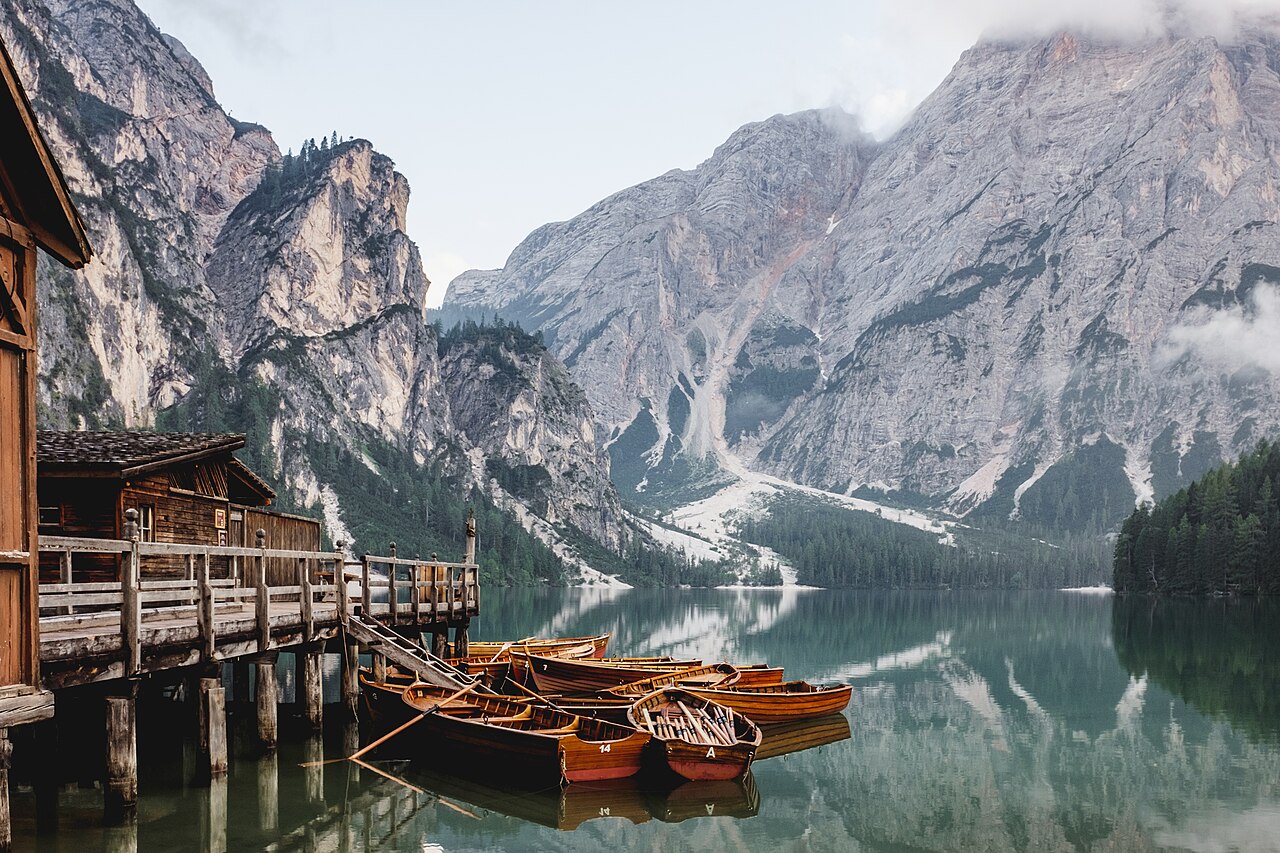
The boathouse, wooden boats and distant peaks. Try the same spot in morning and evening light. There is no need to capture every angle.
Day three: head home
Leave after breakfast. Stop along the way whenever a view catches your eye. Once home, sort the photos and write down the places you want to remember.
In the backpack
Camera and charging cable, ID, jacket, water bottle and offline maps. Pack light and take your time.
For next time
The paths you miss will still be there next time.
 PreviewSep 16, 10:28
Stored on your Mac.
Pause recording or clear history at any time.
Common questions
Can I select items with the mouse?
Yes. Keep ⌘ and ⇧ held to scroll through the panel, then click an item to paste it. The history window also lets you search, preview and copy items again.
Why does Quick Paste need Accessibility access?
Quick Paste needs to detect a global keyboard shortcut and send a paste action to the app you were using. Recording history and copying items again do not require this permission.
How much history can I keep?
Keep up to 200 items, with a total limit of 64 MB. History stays on your Mac, and you can clear it at any time.